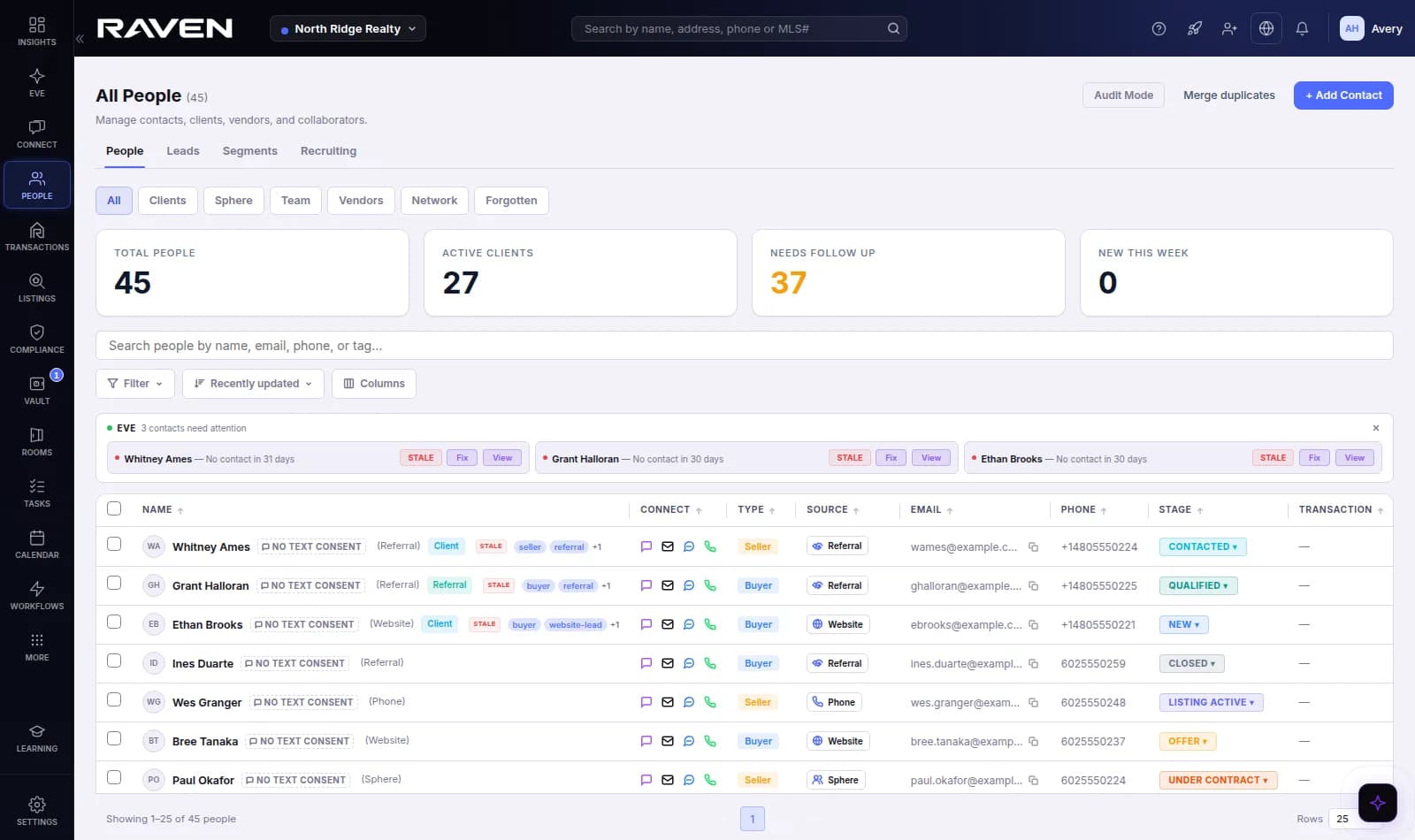
Most CRMs store your contacts. EVE works them.
EVE is Raven's AI assistant, and in Raven CRM she reads the same records you do. She shows where each suggestion came from, and you choose whether she suggests, prepares for your approval, or sends.
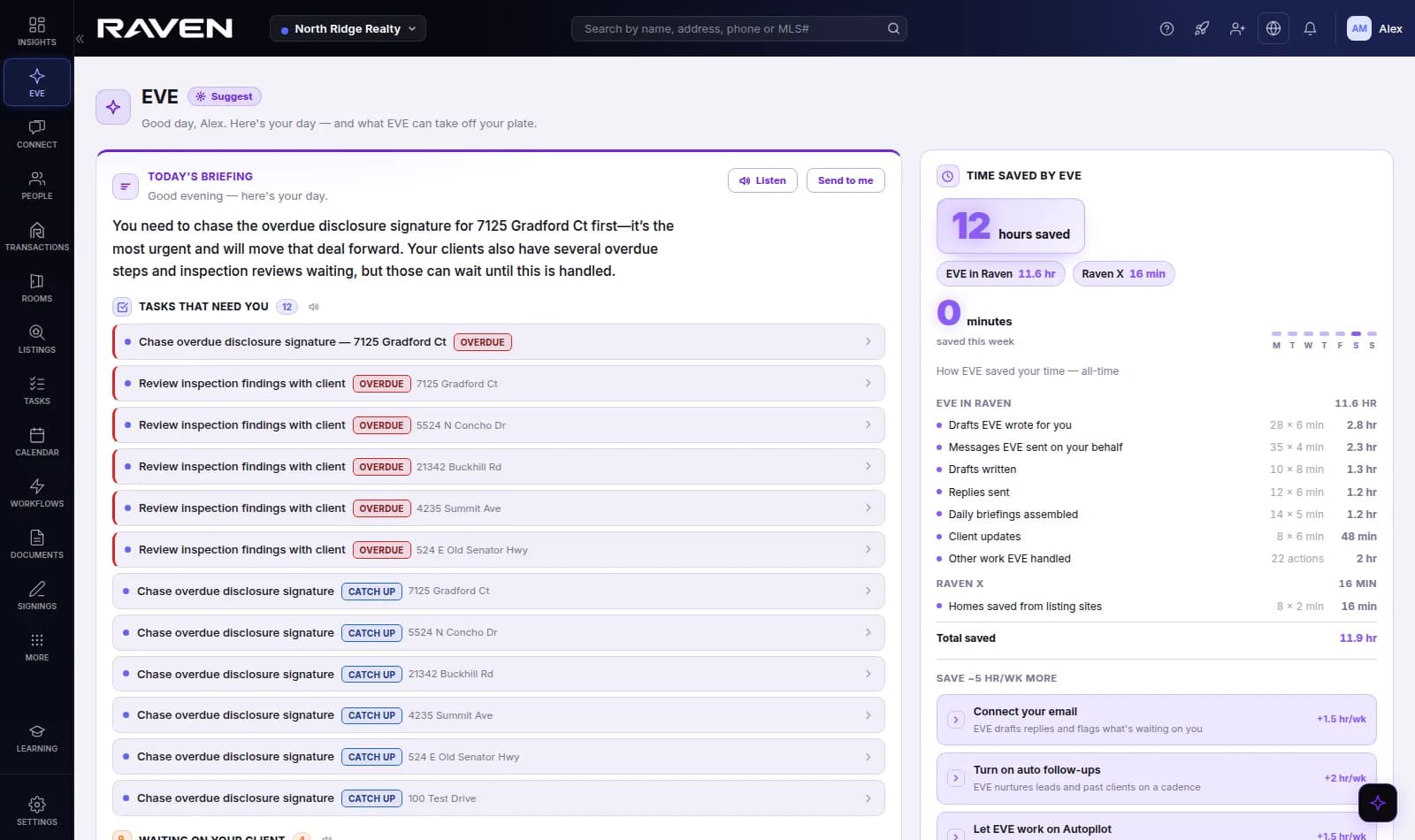
Open the CRM to what needs you
EVE reads the whole book and the inbox you connect, then hands you the short list: who replied and is waiting on you, which leads went quiet, what you promised in writing, and which relationships are drifting. You start the day on the three people who matter, not on a list of four hundred.
- Who is waiting on a reply, with the answer already drafted
- Promises you made in writing, remembered
- Relationships that used to talk weekly and went quiet
Email and texts in one thread per person
Every email and text with a client lands in one conversation, in order. EVE writes the next message grounded in what was actually said and what you promised. Every draft runs a risk check first, and anything touching an offer, a price, a contract or a complaint comes to you instead of going out.
- Connect your Gmail or Outlook and send from your own address
- EVE's reply cites the message it answers
- Sensitive topics always held for you
A new lead gets an owner and a first touch in minutes
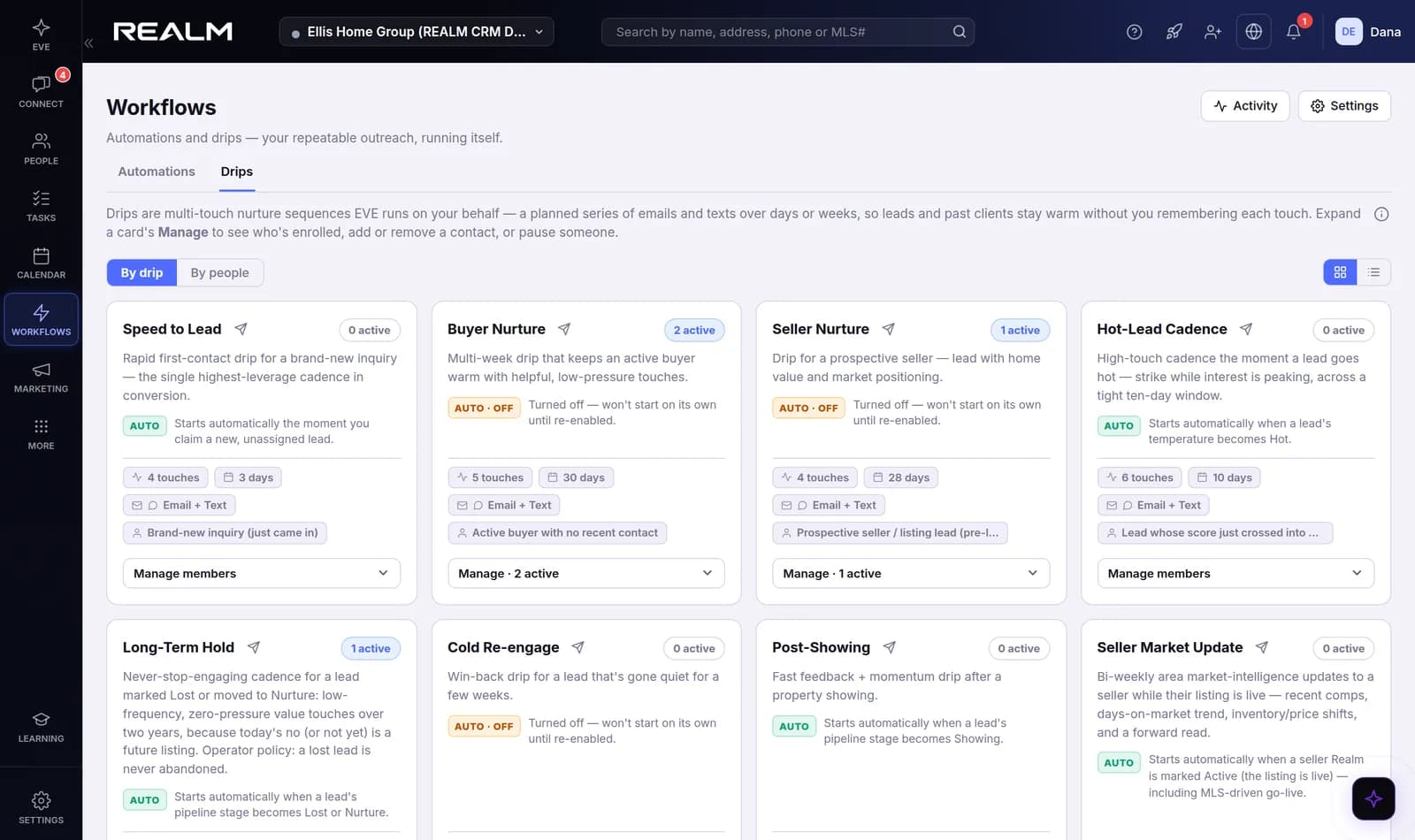
Leads from your website and your lead sources match a named bucket, get an owner by your routing rules, and start Speed to Lead. When the lead replies, the drip pauses and the owner is told, so a warm lead is never left talking to an automation.
- Built-in drips for buyers, sellers, long-term holds and past clients
- A reply pauses the drip and notifies the owner
- Send a test to yourself before anything reaches a client
One email, a personal copy for each person
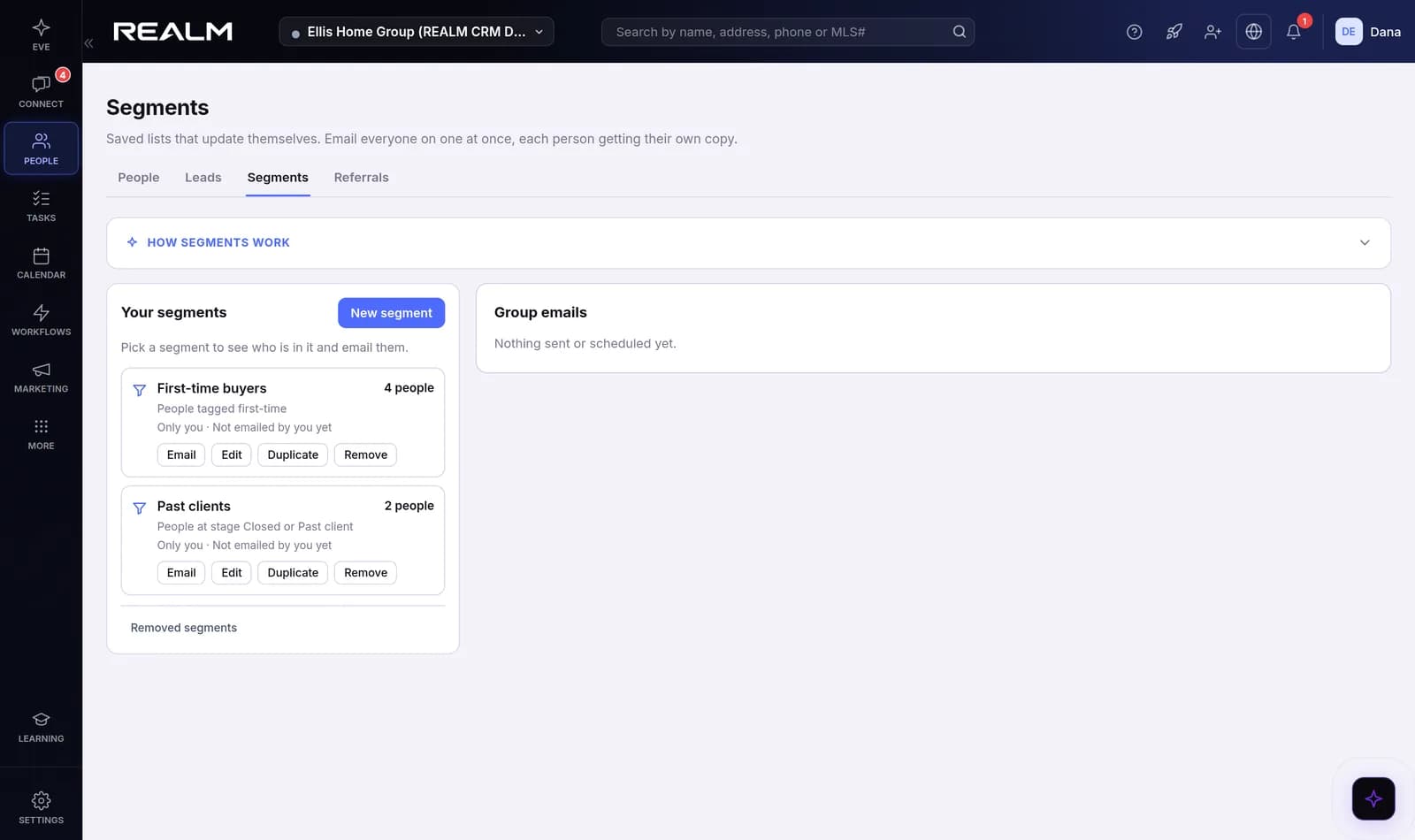
Save a segment, like past clients you have not talked to in 90 days, and it keeps itself current. EVE drafts the email, you preview it and send yourself a test, and each person gets their own copy in their own thread, so a reply comes back where you will see it.
- Segments by rules, by picking people, or both
- Merge fields, attachments and scheduling
- Opt-outs and do not contact honored on every send
The week, and what is due today
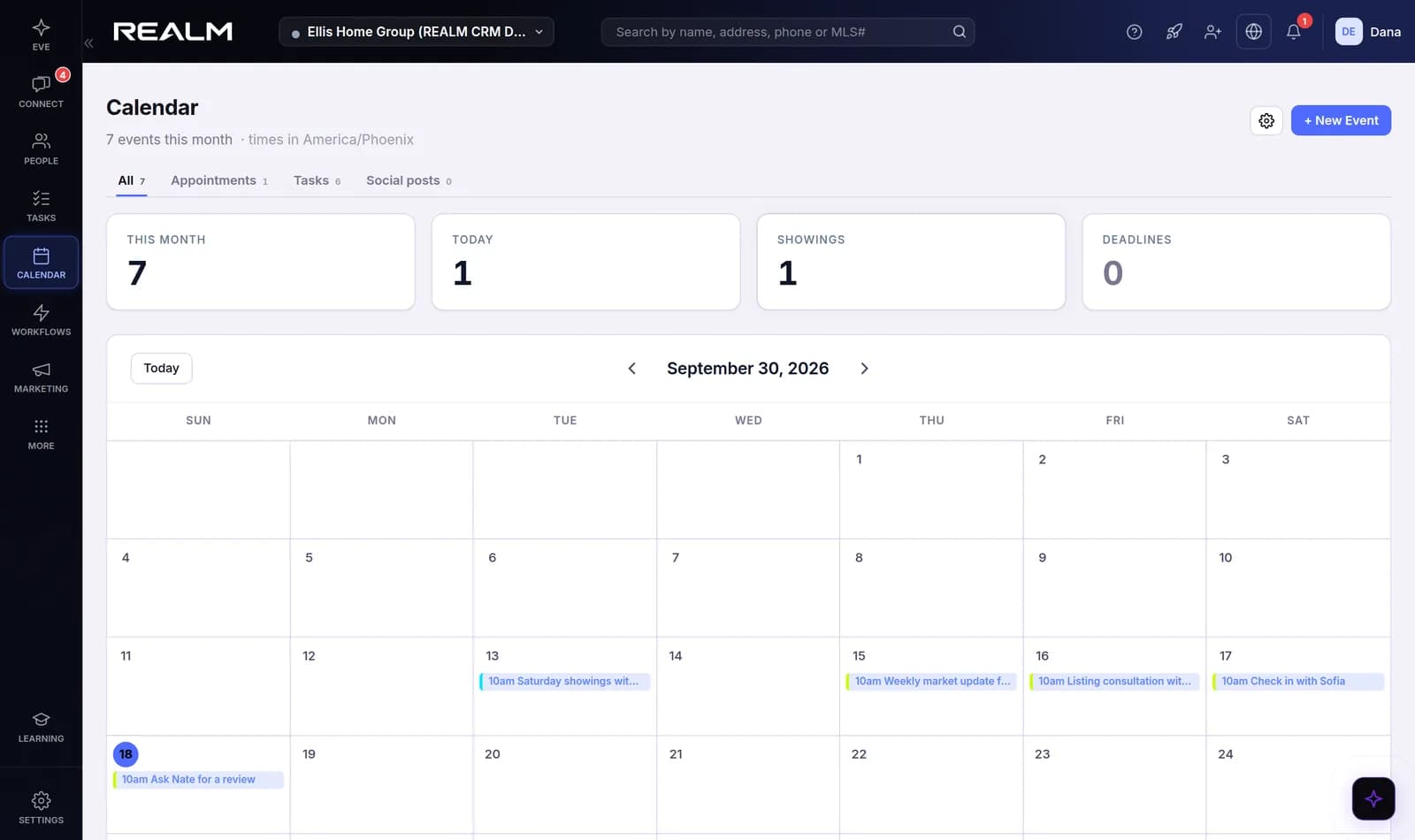
Tasks live on the contact they are about and show up on one calendar beside your appointments. Send a real calendar invite your client can accept, and when you promise something in a message, EVE keeps the reminder for you.
- Calendar invites your client can accept
- Overdue and due-today tasks at a glance
- Promises from your messages become reminders
A website whose leads land in your book
Publish a site on your own subdomain with your Google reviews and a contact form. A lead from it becomes a contact in People with its source set, and Speed to Lead starts on its own, so the site is part of the CRM rather than a form that emails you.
- Your own subdomain, or a custom domain you verify
- Google reviews you choose to show
- Website leads routed like every other lead
EVE comes with you off the CRM
Raven X, for Chrome and Edge, is included. On a contact page in another CRM, or on Zillow, Realtor.com or your MLS's own site, EVE recognizes the person or the listing, brings back what your client told you, and offers the next step.
- Works on Follow Up Boss, BoldTrail, Lofty, Brivity and Sierra Interactive pages
- Listing pages matched to your buyers' budgets and areas
- Chrome and Edge on a computer
Keep your CRM for a while, or bring it with you
Raven X runs on the contact pages of the CRMs agents already use, so EVE can help before you move anything. When you are ready, the importer has a preset for each one, previews the result, does a dry run, and de-duplicates against what is already in your book.
- Columns your old CRM kept as custom fields stay custom fields
- Owners in the file can hand contacts to your team
- Email from your own Gmail or Outlook address
One CRM instead of five tabs
Most agents run their business across several tools that each keep their own copy of the same person. Raven CRM keeps one.
A full CRM, and someone to work it
Everything below is in the plan. No per-contact or per-lead pricing.
Contacts and leads
Every person in one book with stage, source, tags, custom fields, last touch and next task. Your own stages under the built-in ones.
Lead routing
Inbound leads land in named buckets and get an owner by your rules, with EVE's first touch sent while the lead is still warm.
Connect: texting and email
Email and texts in one thread per person. Connect your Gmail or Outlook and Raven sends from your own address.
Drips and workflows
Multi-touch nurture sequences and if-this-then-that workflows, with a test send to yourself before anything reaches a client.
Segments and group email
Saved lists that keep themselves current. One email, a personal copy in each person's own thread, with an unsubscribe on every copy.
Tasks and calendar
Tasks on every contact, a calendar with real invites your client can accept, and reminders EVE keeps when you promised one.
Marketing Studio
Brand and social content drafted with EVE, scheduled and published to the accounts you connect.
Agent website
A public site with your reviews and a lead form, published on your own subdomain, whose leads land as contacts.
EVE, the AI assistant
A morning briefing, memory of what every client said, follow-ups drafted in your voice, and a risk check on every draft.
Raven X browser extension
EVE in Chrome and Edge, on the portals and listing pages you browse, matching what you see to your buyers.
What comes with Raven instead
Raven CRM is the CRM on its own. These are part of the full Raven platform.
Transactions
Transaction files, the checklist, stage-gated compliance, broker review, the shared Room and the Vault are Raven.
See RavenMLS data
Listing search, CMAs and home reports come with Raven, through your own active MLS membership.
See RavenEVE Sales Agent
EVE answering and booking your leads on her own is EVE Sales Agent: a monthly add-on for Raven CRM, included in Raven Agent.
See EVE Sales AgentBuilt for the agent who needs the CRM now
Agents in any state
Raven CRM depends on no state's forms and no MLS agreement, so it works wherever you are licensed, from day one.
Agents whose brokerage runs the transaction
Your brokerage already supplies transaction management and compliance. You want your own book, your own follow-up and your own website.
Agents moving off a CRM
Bring your contacts from Follow Up Boss, Brivity, BoldTrail (kvCORE), Lofty or a CSV, de-duplicated against what is already there.
Raven X, Raven CRM, or Raven
Start with the plan that fits today. Raven CRM runs on the same records as Raven, so moving up adds transactions without an import.
| Included | Raven X $49/month | Raven CRM $99/month | Raven $249/seat/month |
|---|---|---|---|
| EVE, the AI assistant | |||
| Raven X browser extension for Chrome and Edge | |||
| Contacts, leads and lead routing | |||
| Texting and email in Connect | |||
| Drips, workflows and group email | |||
| Tasks and calendar | |||
| Marketing Studio and an agent website | |||
| Transactions, compliance and broker review | |||
| MLS data: listings, CMAs and home reports | |||
| EVE Sales Agent | Add-on | ||
| Where it is available | Every US state | Every US state | Market by market, Arizona first |
Team and brokerage pricing for Raven is on the pricing page.